

Team chat that keeps your business in context.
Channels, direct messages and threads for your team and your clients, in one secure workspace your business owns, with SphereOne Assist summarizing and drafting inside every conversation.
Everything a team needs to talk
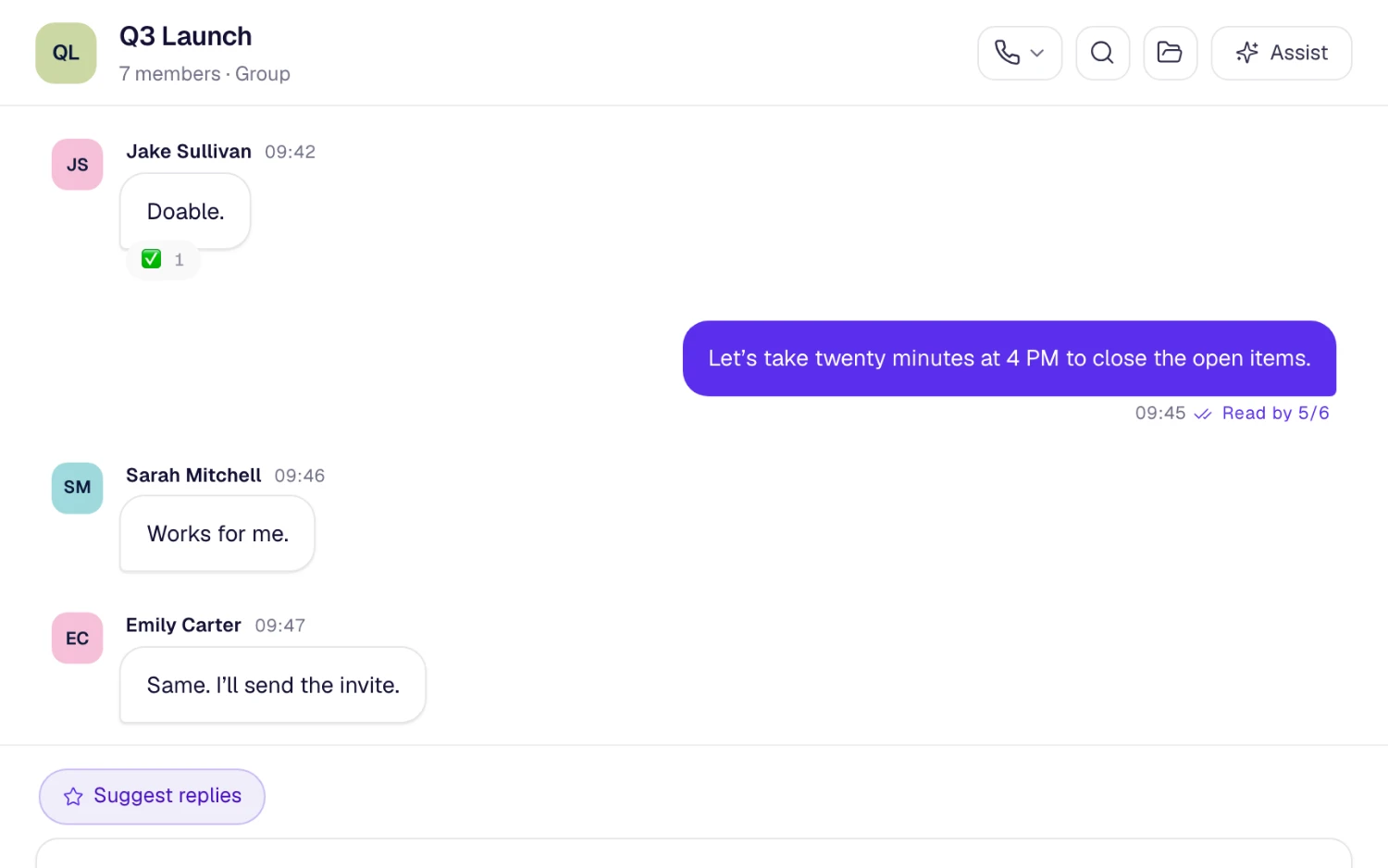
Real-time messaging organized the way work actually happens: by team, by project and by client.
How teams run on SphereOne chat
A channel for every project
Everyone working on a launch, a client account or an office shares one channel, so a new joiner scrolls up instead of asking for a recap.
Decisions that stay in threads
Questions get answered in threads. The answer stays under the question, and search finds both months later.
Clients in the same workspace
Client conversations sit in private rooms beside your team's channels, so nobody needs a personal phone number to keep a client happy.
AI inside every conversation
SphereOne Assist works from the chat you're in, so its help starts from the real context.
- Summarize a busy channel into key points, decisions, open questions and action items.
- Draft a message from a short prompt, or rewrite the one you've written.
- Tap a suggested reply that follows the language the chat is held in.
- Start every morning with a brief of your direct messages, mentions and busiest channels.
What each plan includes
Team chat on every SphereOne plan. Compare all plans.
| Capability | Free | Starter | Business | Enterprise |
|---|---|---|---|---|
| Channels, DMs, threads and search | Included | Included | Included | Included |
| Polls | Not included | Included | Included | Included |
| Message history | 30 days | 1 year | Unlimited | Unlimited |
| Private channels | 5 | 25 | Unlimited | Unlimited |
| Announcement channels | Not included | Included | Included | Included |
| Channels shared with other organizations | Not included | Included | Included | Included |
Questions about team chat
Is SphereOne a secure team chat app for business?
Yes. Conversations belong to your workspace rather than to personal phones, and SphereOne is built with end-to-end encryption, SOC 2 Type II, GDPR-aligned data handling and HIPAA readiness. Admins control roles and where people can sign in from.
Can we chat with clients and people outside the company?
Yes. Add clients as client accounts: they only reach the rooms you add them to and never see your team directory. On Starter and up, you can also share channels with other organizations.
How long is message history kept?
It depends on the plan: Free 30 days, Starter 1 year, Business unlimited and Enterprise unlimited.
Can we bring our existing chat history?
Yes. Workspace admins on Starter, Business and Enterprise can import channels, chats, people and files from Slack, Microsoft Teams, WhatsApp, Google Chat, Telegram, Discord and Mattermost. Nothing is written until you confirm the preview, and an import can be undone.
More of the workspace
Everything shares one directory, one search and one assistant.
Bring team chat to your team
Start free, or book a half-hour walkthrough with our team.